Add and track an asset
Record a laptop, scanner or server, who holds it and where it is, and follow it through its life.
Who can do this:Asset ManagerTenant Administrator
Add it
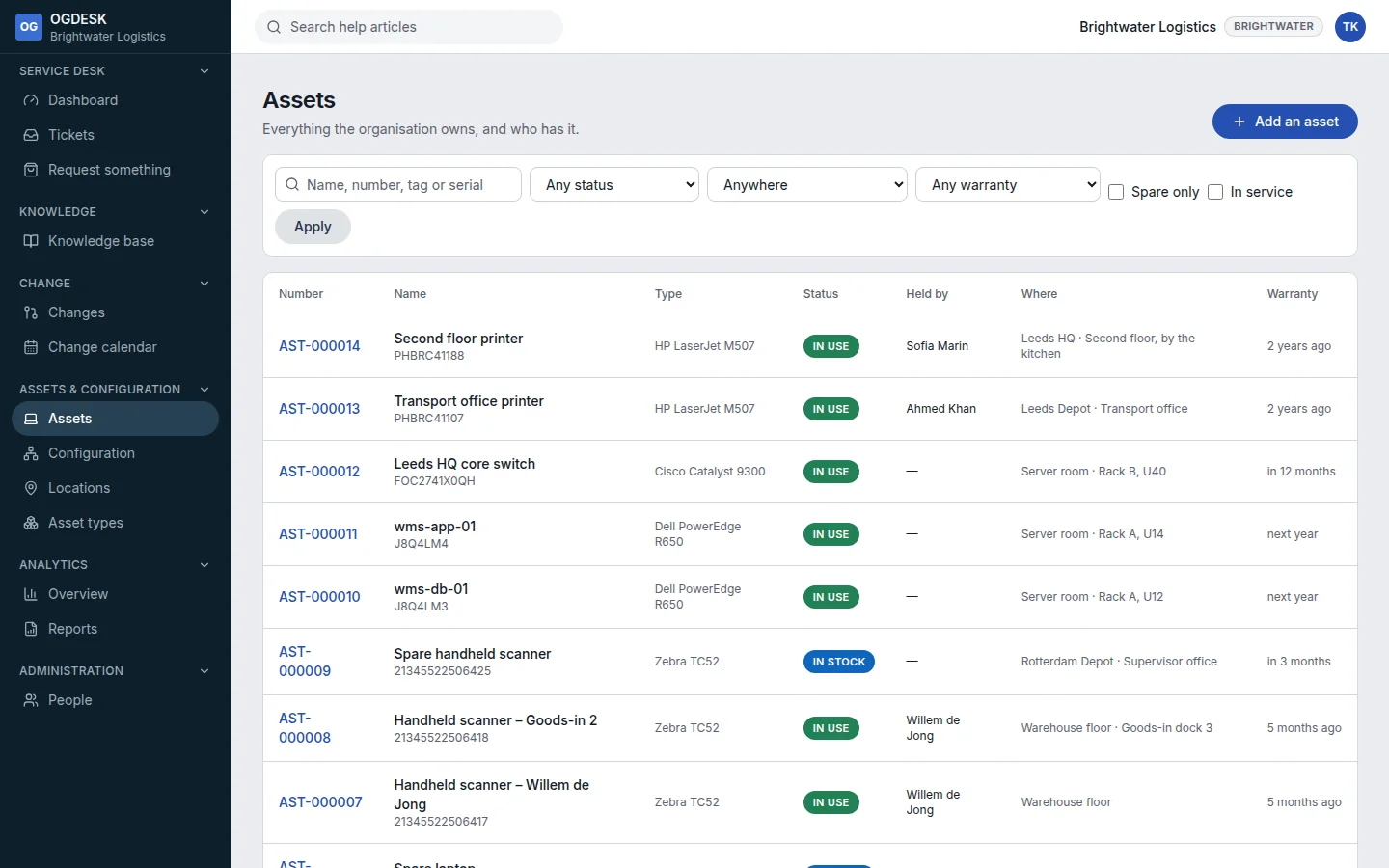
Step 1: Go to Assets and choose Add an asset.
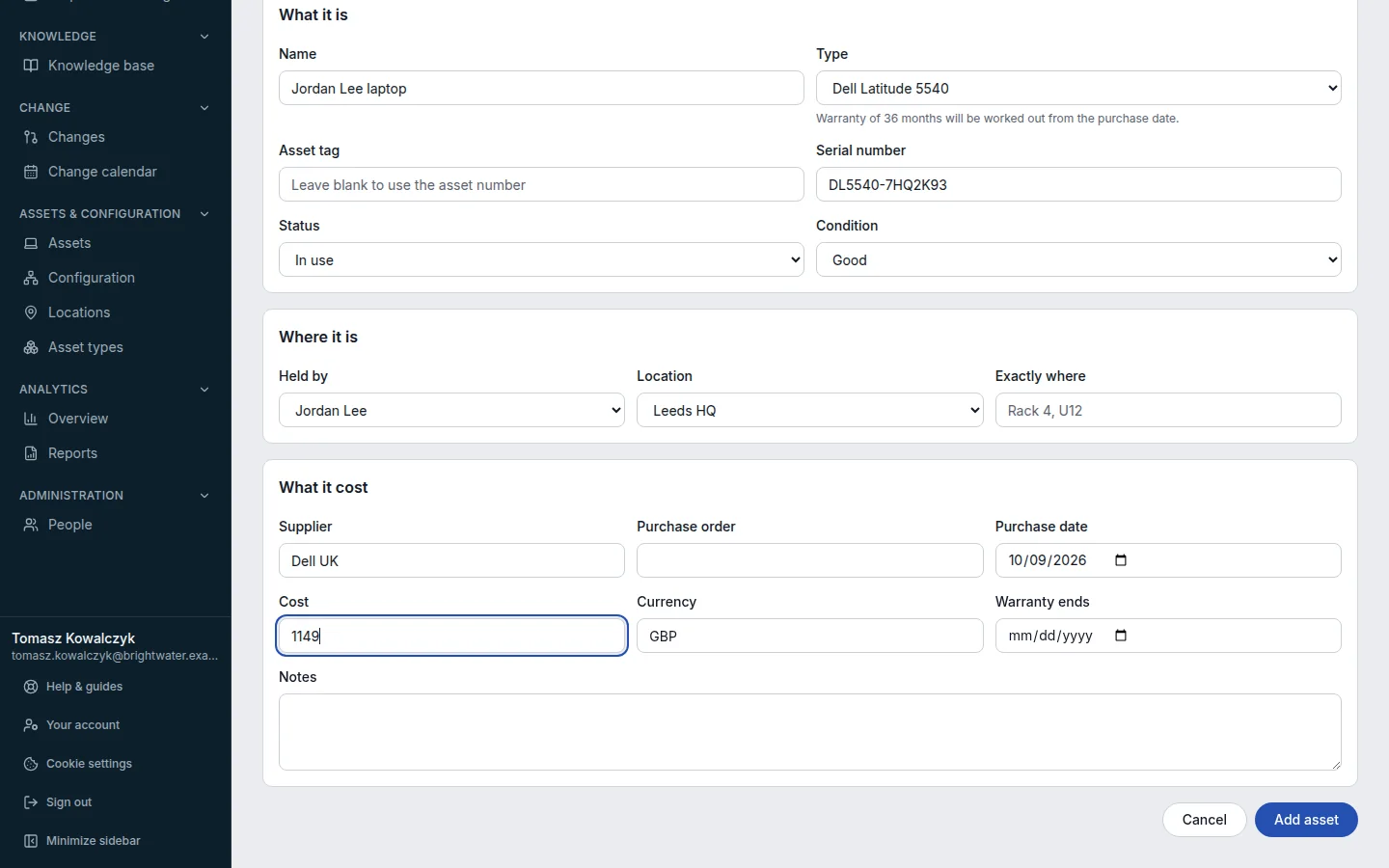
Step 2: Under What it is, give it a Name and choose its Type. Add the Serial number.
Leave Asset tag blank to use the asset number. If the type has a warranty period, OGDESK works out the end date from the purchase date.
Step 3: Under Where it is, choose who it is Held by and its Location.
Step 4: Fill in What it cost if you track it, then choose Add asset.
Move it through its life
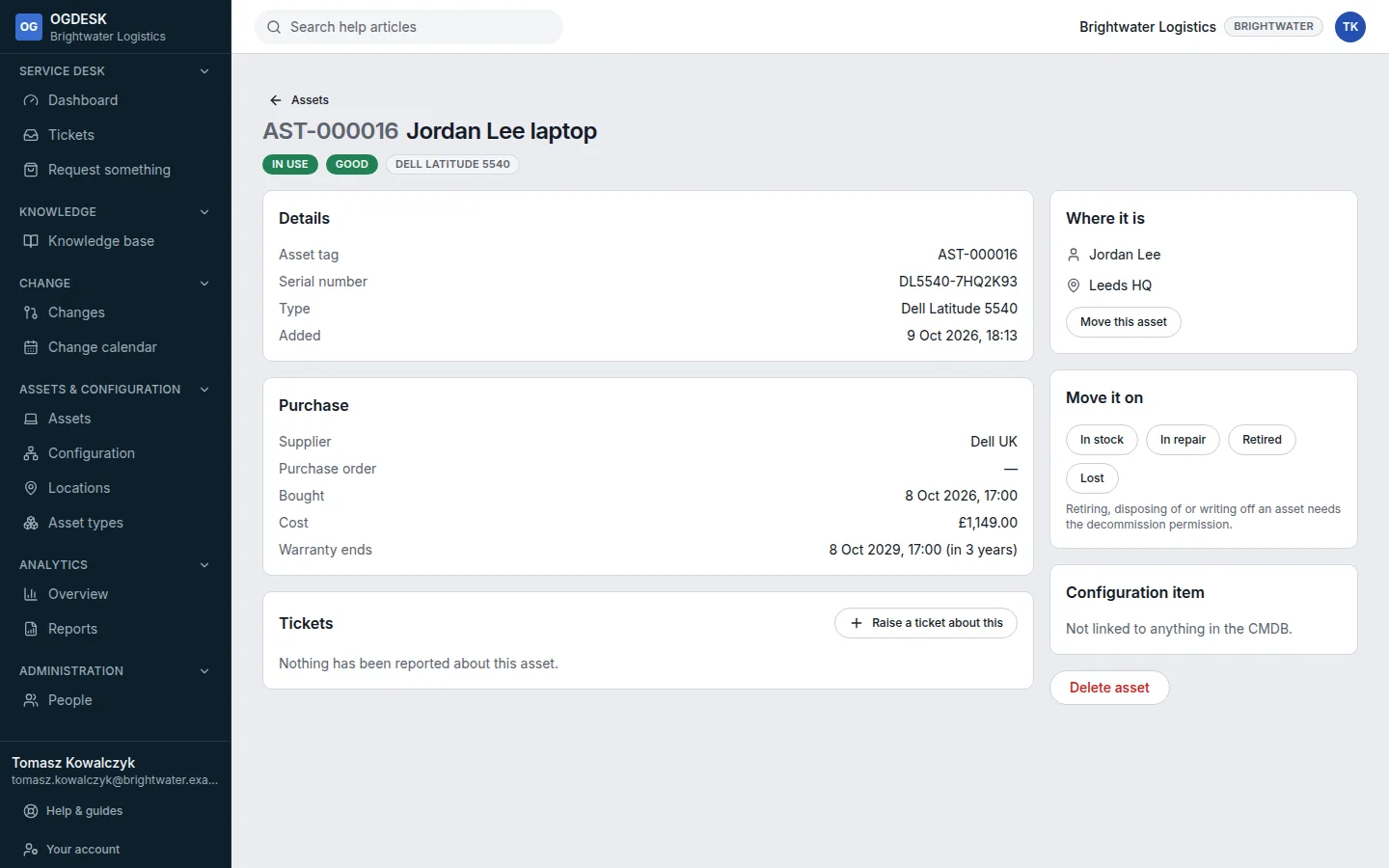
- Move this asset changes who holds it and where it is. Giving an asset in stock to somebody marks it In use automatically.
- Move it on lists the statuses it can go to next: In stock, In use, Reserved, In repair, Retired, Lost and finally Disposed.
- The Tickets card lists every ticket about it. Raise a ticket about this starts one with the asset already filled in.
- Filter the list by warranty to see what is about to run out.