Map your services in the CMDB
Record the systems you run, link what depends on what, and see what breaks if one goes down.
Who can do this:Asset ManagerChange Manager (relationships)
Step 1: Open Configuration in the sidebar and choose Add an item.
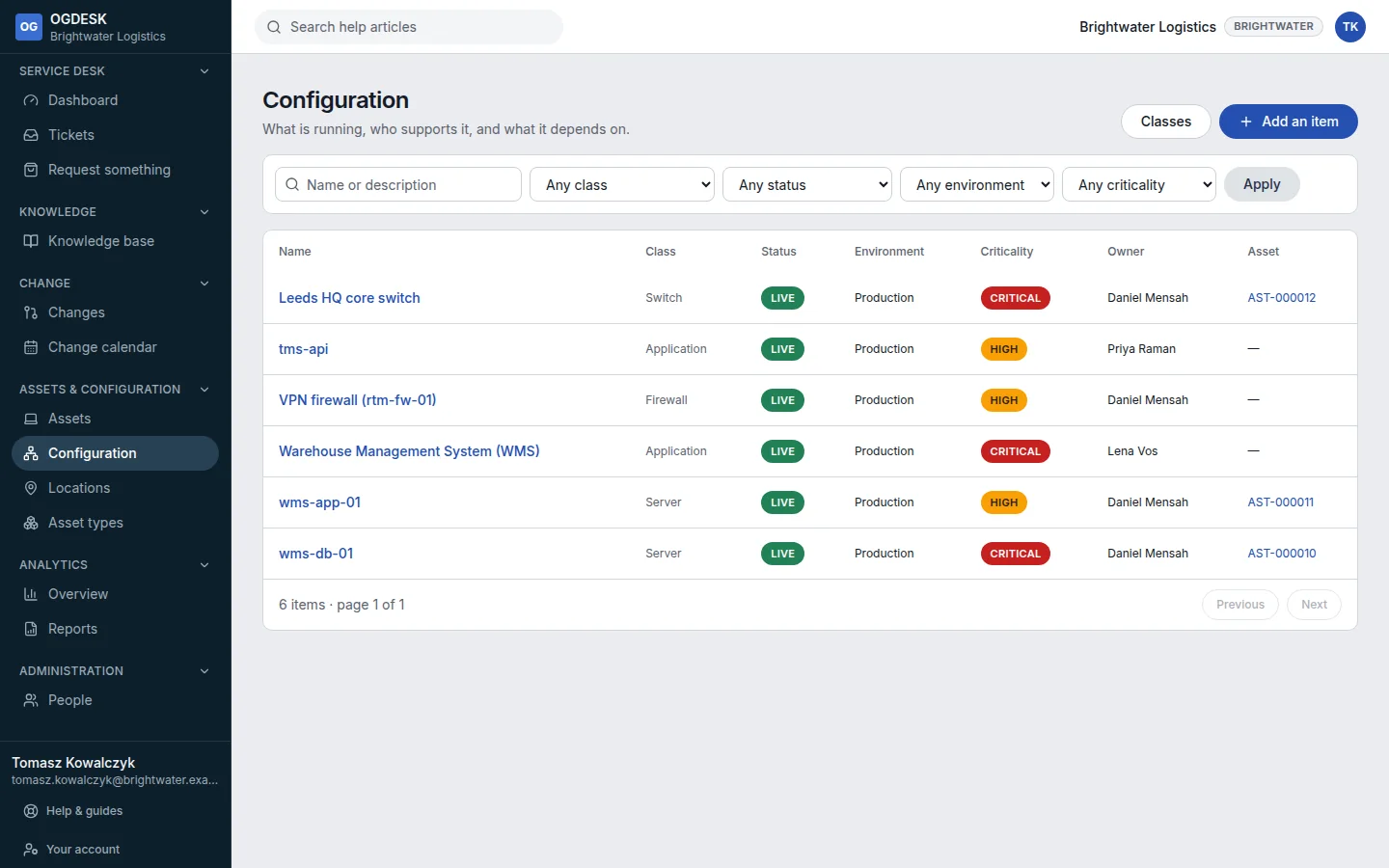
Step 2: Choose its Class (this cannot be changed later), give it a unique Name, and set Status, Environment and Criticality. Fill in the class’s own fields, then choose Add item.
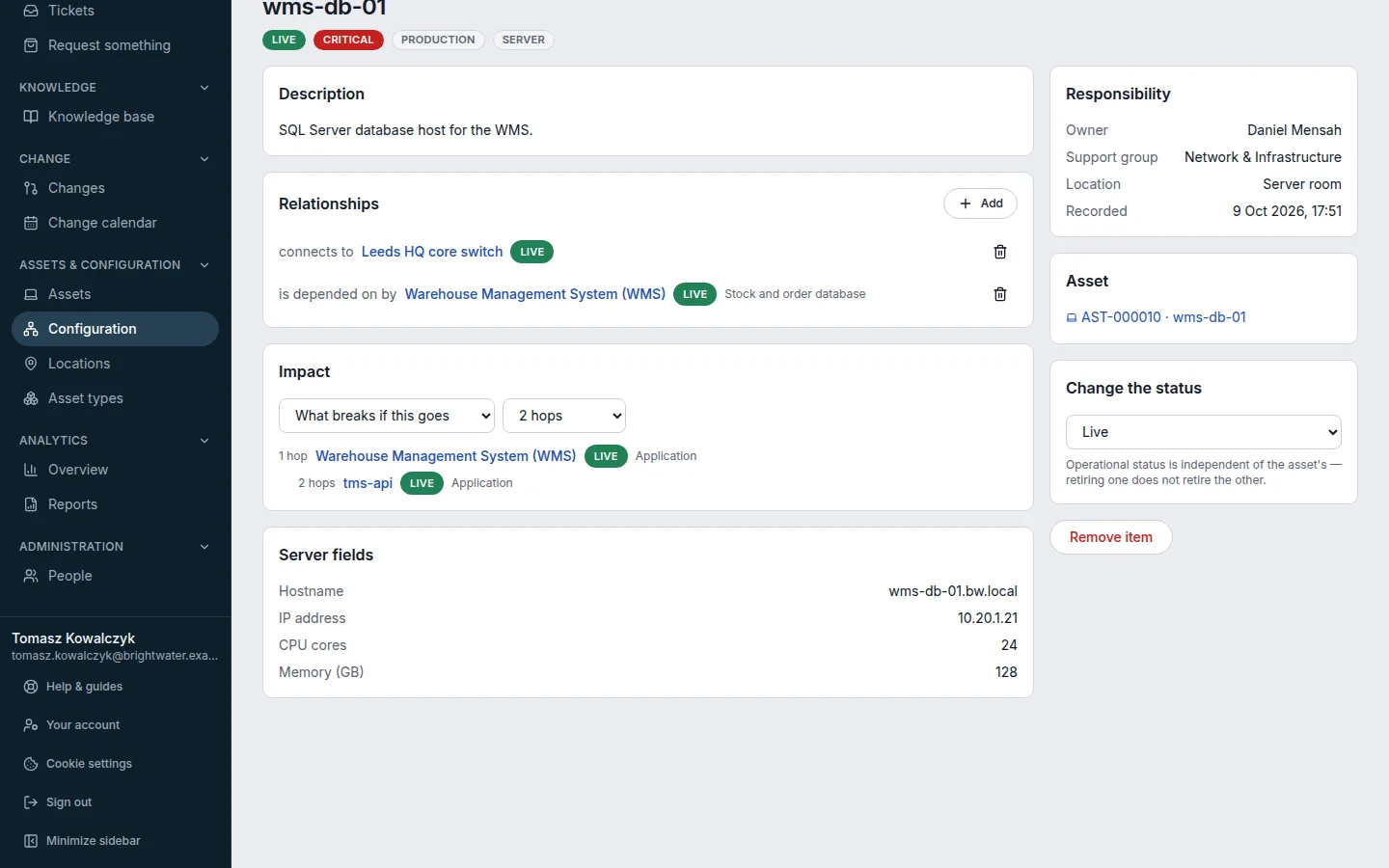
Step 3: On the item’s page, under Relationships, choose Add, pick a type such as depends on or runs on, choose the other item, and choose Link.
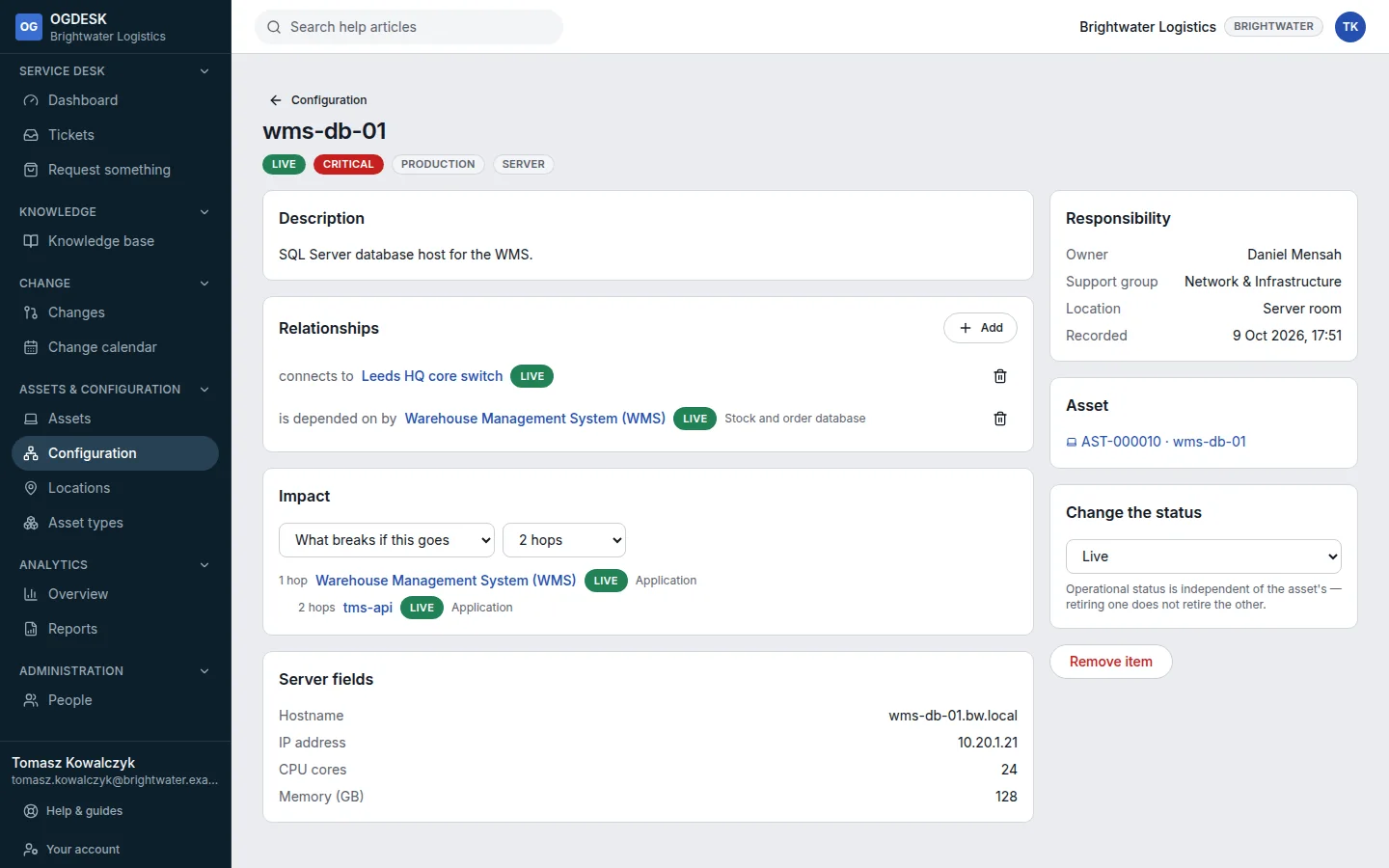
Step 4: Use the Impact card to see What breaks if this goes or What this needs to work, up to five steps away.