Raise a ticket
Report something broken or ask for help, and follow the ticket until it is fixed.
Who can do this:Everyone
Raise it
Step 1: Go to Tickets and choose Raise a ticket.
Step 2: Leave Type as Incident for something broken, or choose Service request when you need something.
Step 3: Write a one-line Summary. As you type, OGDESK suggests knowledge articles that might already answer it.
Open one to read it. If it fixes the problem, choose Yes, I don’t need a ticket and you are done. Otherwise choose Not quite — back to my ticket.
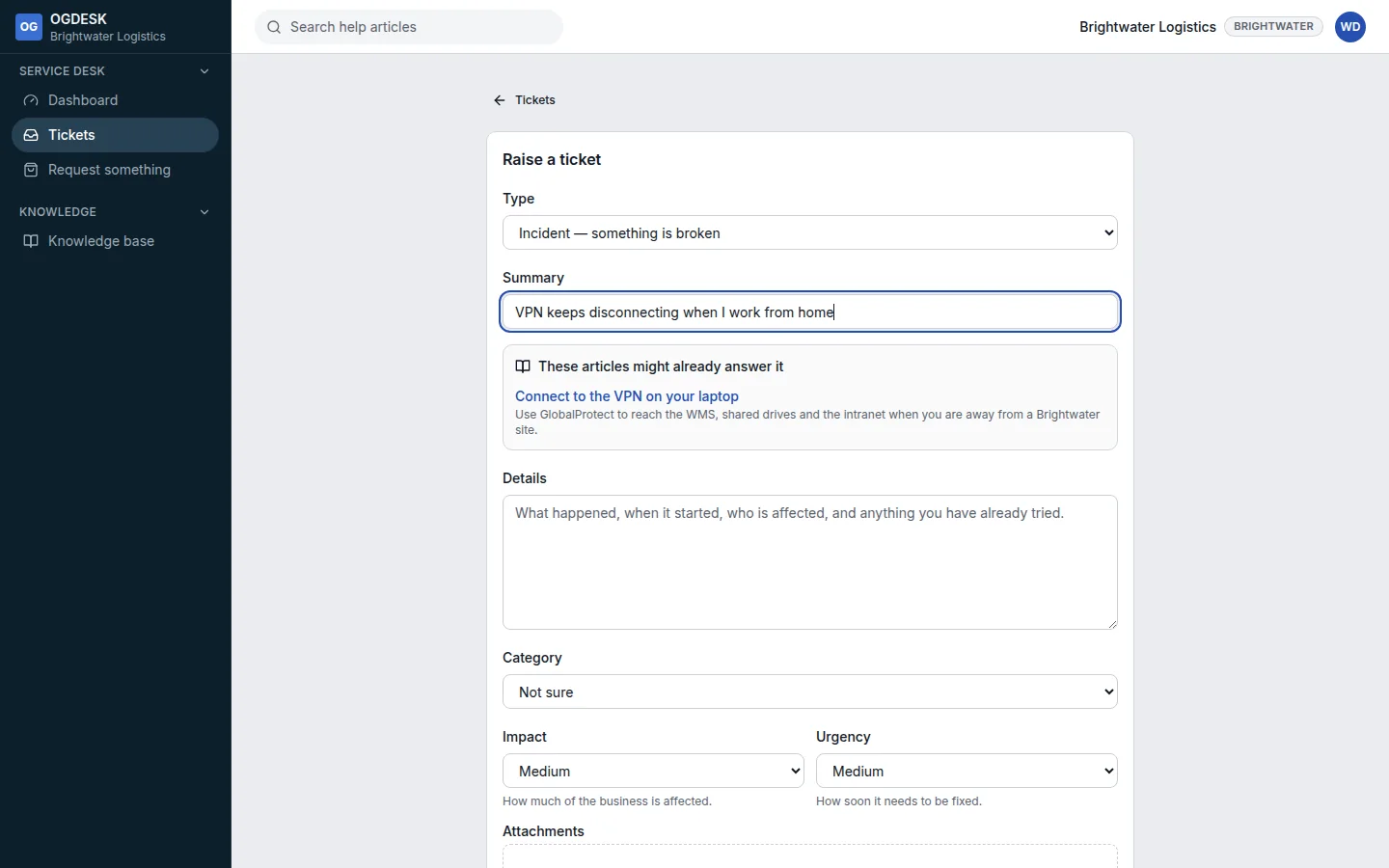
Step 4: Describe what happened in Details: when it started, who is affected, and what you have already tried.
Step 5: Set Impact (how much of the business is affected) and Urgency (how soon it needs fixing). OGDESK works out the Resulting priority from the two.
If the problem is with a particular laptop or scanner, choose it under Affected asset. Drop screenshots or logs onto Attachments.
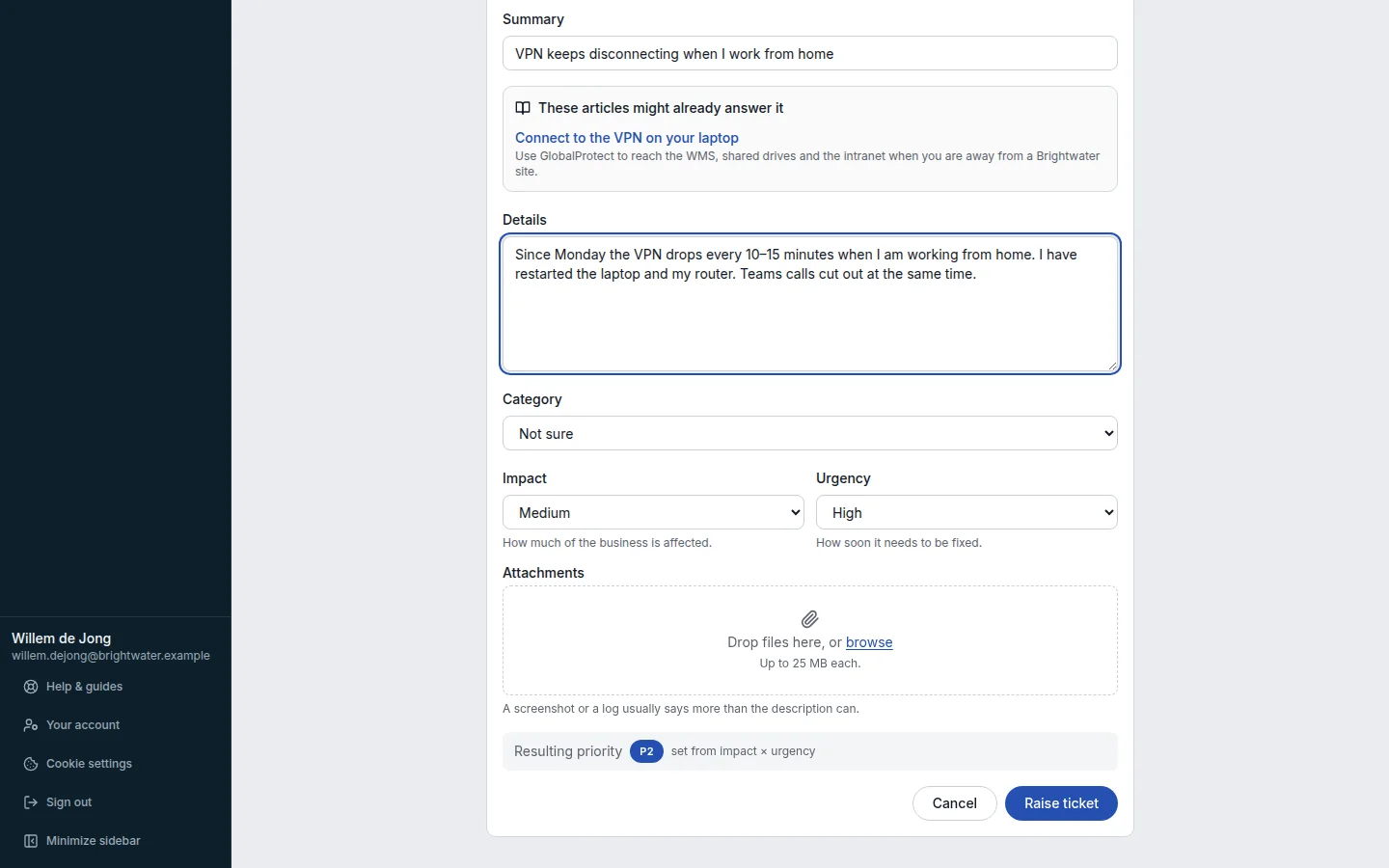
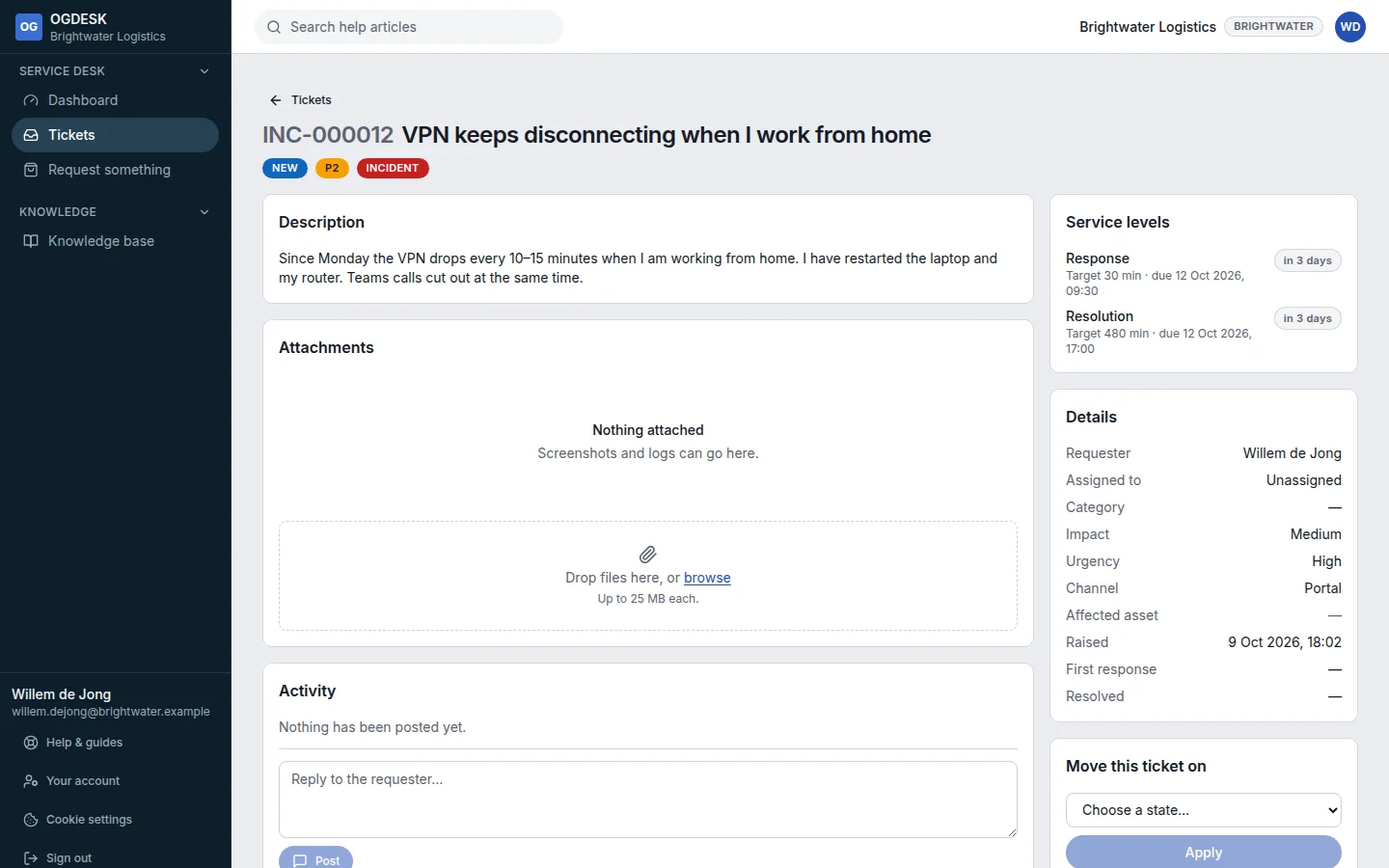
Step 6: Choose Raise ticket. You land on the ticket, and you are emailed its number.
| Impact ↓ / Urgency → | High | Medium | Low |
|---|---|---|---|
| High | P1 | P2 | P3 |
| Medium | P2 | P3 | P4 |
| Low | P3 | P4 | P5 |
Follow your ticket
- Tickets lists everything you raised. Choose View → Raised by me to see only those.
- Write in the reply box and choose Post to add information. The person working on it is emailed.
- You are emailed when it is assigned, when somebody replies, and when it is resolved.
- If a resolved ticket is not actually fixed, open it, choose In progress under Move this ticket on, and choose Apply.