Check the audit trail
See every change made in the workspace, who made it and when, and export it.
Who can do this:Tenant AdministratorHelp Desk Administrator
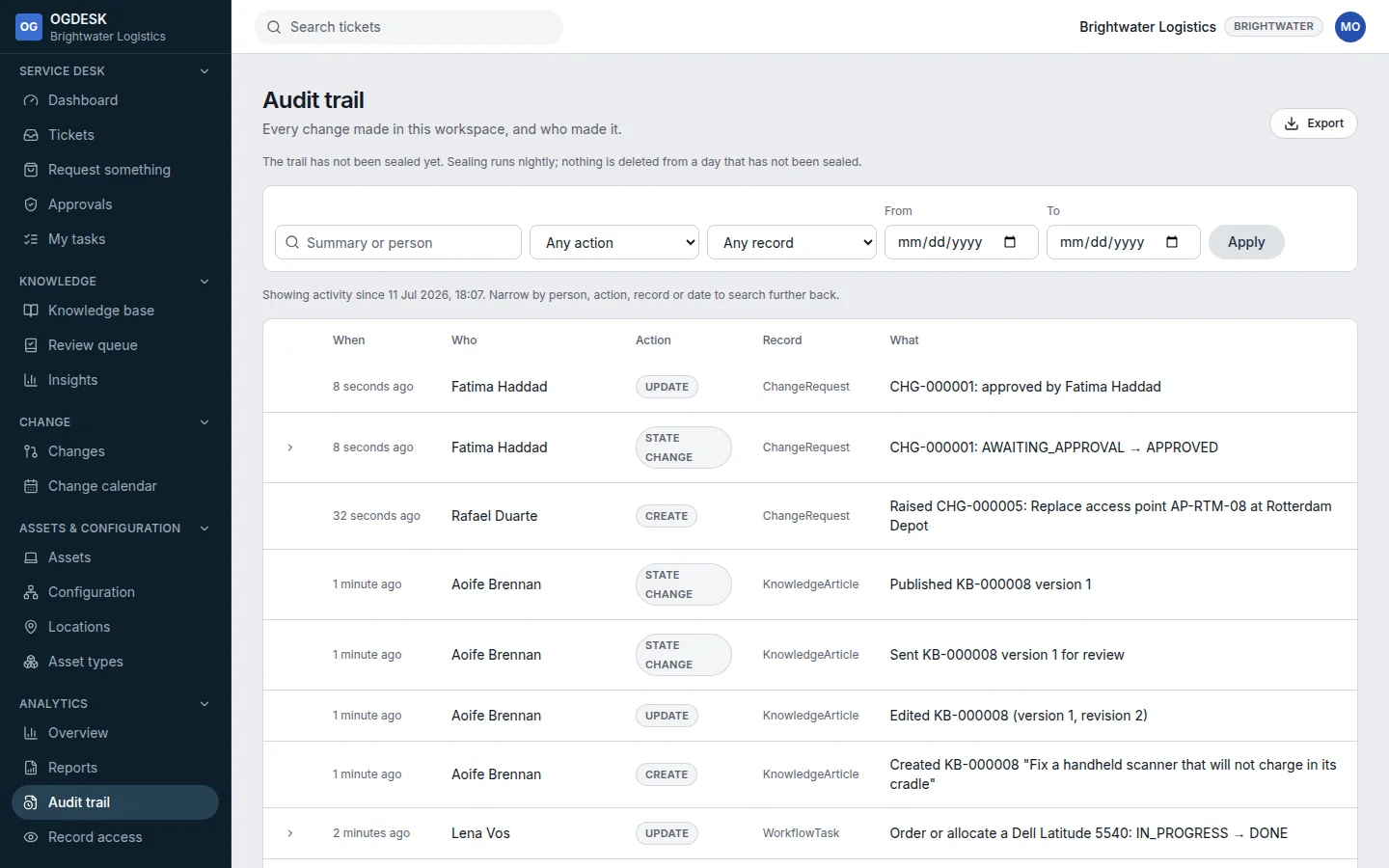
- Open Analytics → Audit trail. Filter by person or summary, Action, Record type and dates, then choose Apply.
- Choose Show what changed on an entry to see the old and new values.
- Export downloads the filtered entries as CSV (up to 20,000 rows).
- The trail is sealed every night, and the page warns if anything was changed outside OGDESK.
- Record access shows who *opened* records rather than who changed them. It is switched on under App settings → Security (Enterprise plan).