Work your fulfilment tasks
The steps an approved request hands to you or your team, and how to tick them off.
Who can do this:Help Desk Agent
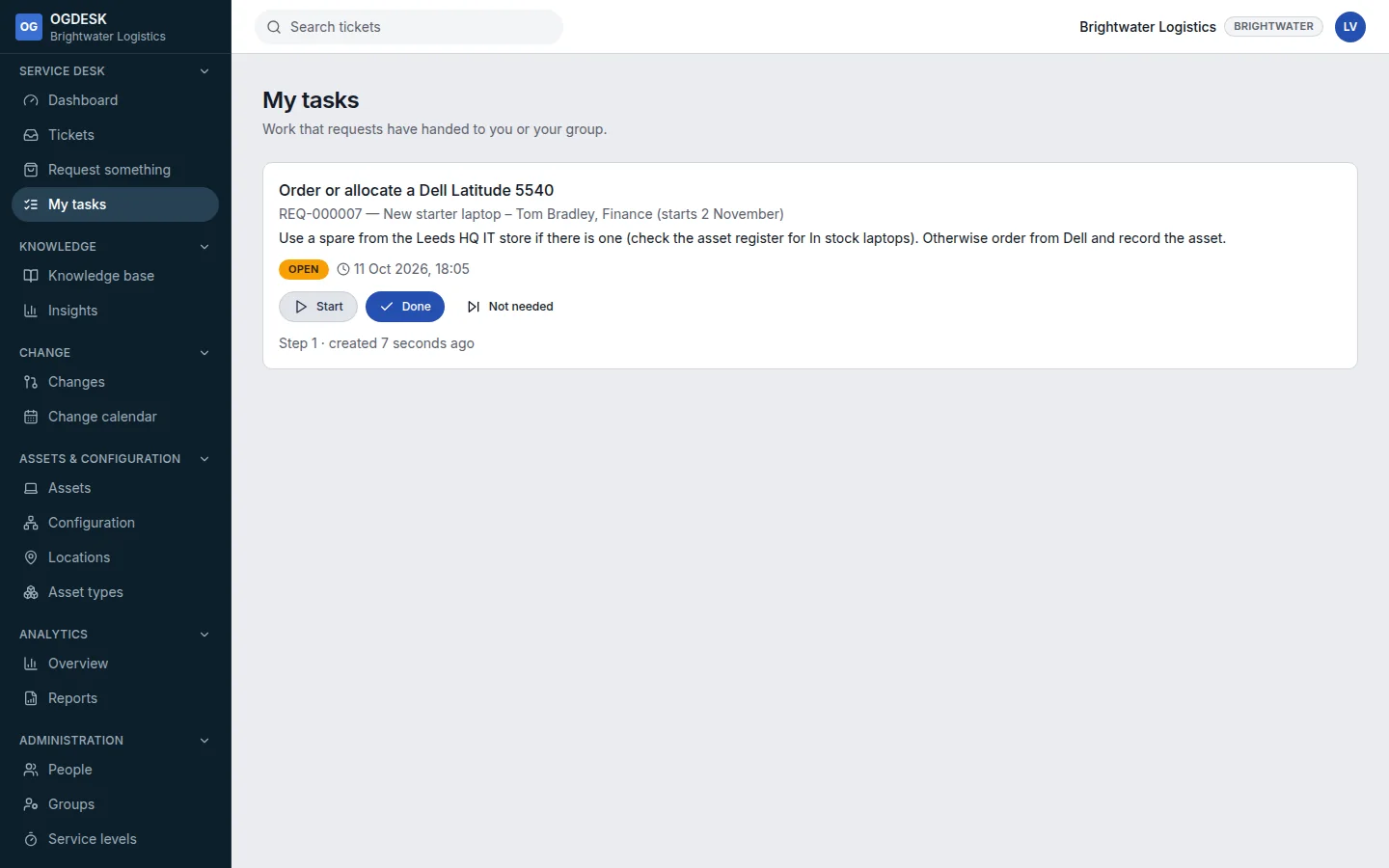
A task is one step of delivering a request, such as “Order the laptop” or “Create the accounts”. Workflows create them, and they are not tickets, so they do not start service level clocks or email the requester.
Step 1: Open My tasks. It lists tasks assigned to you, and unclaimed tasks for your groups.
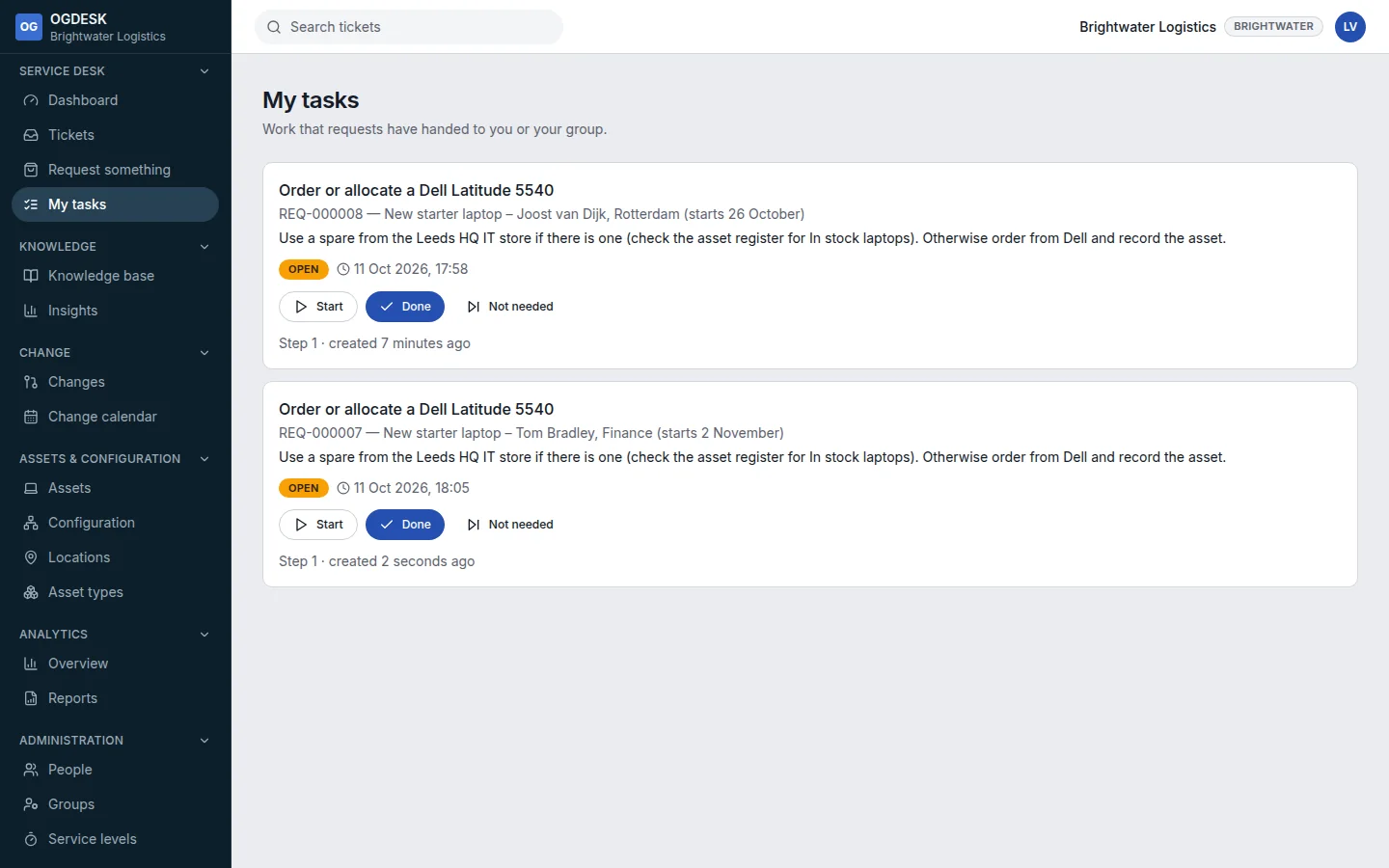
Step 2: Choose Start to claim a task. It becomes yours.
Step 3: When it is finished choose Done, or Not needed if it does not apply.
When every task in a step is finished, the next step’s tasks appear and the workflow moves on.