Automate with a workflow
Run steps automatically when something happens: route a ticket, ask for approval, create tasks, notify people.
Who can do this:Help Desk AdministratorTenant Administrator
Build one
Step 1: Go to Administration → Workflows and choose New workflow. A draft opens in the editor.
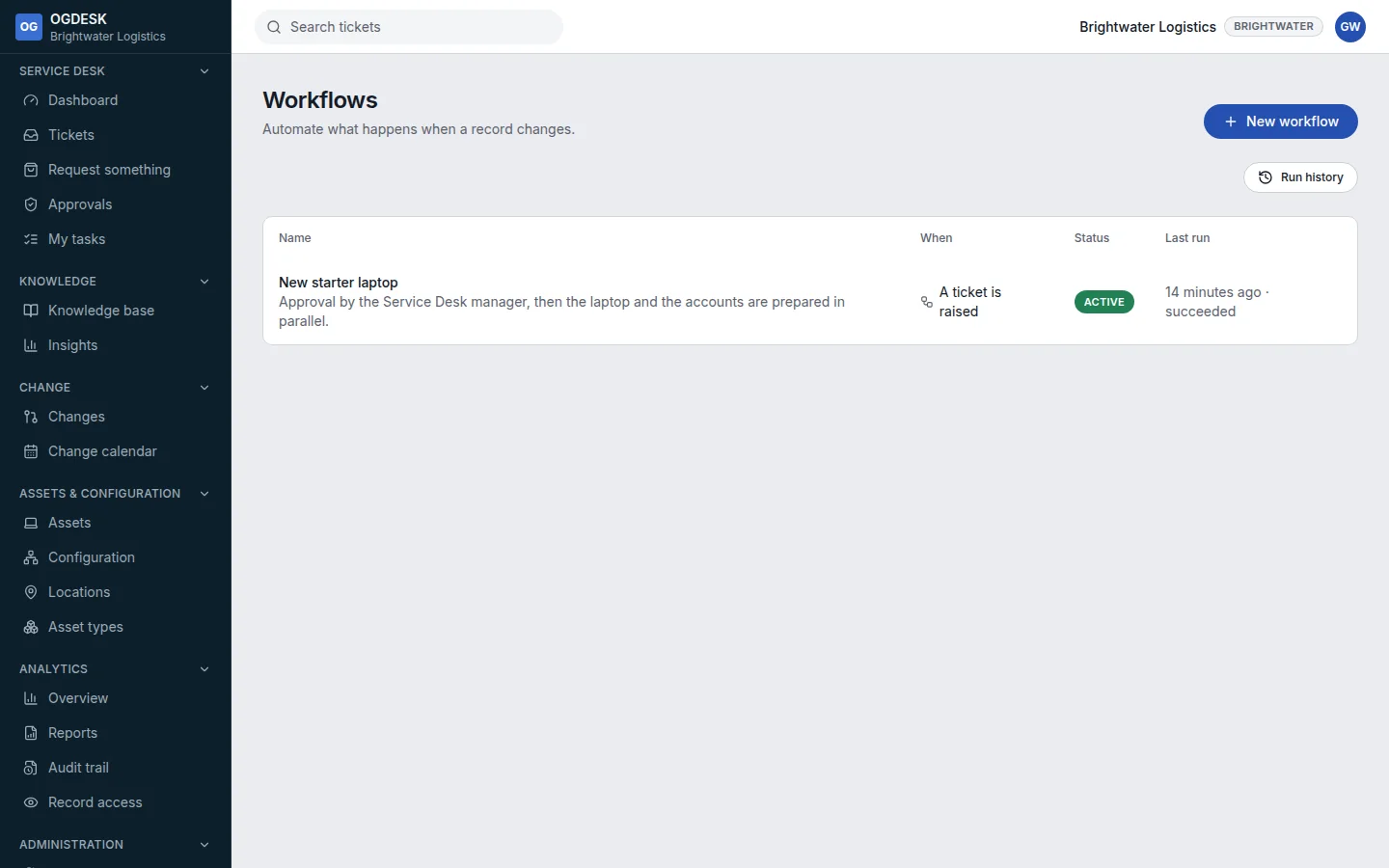
Step 2: Give it a name, then choose what it runs on under This runs when, for example A ticket is raised. Add an Only when filter so it only runs for the tickets you mean.
Step 3: From Add a step, add what should happen, in order. Choose a step to set it up in the panel on the right.
Switch between Steps and Canvas to see the workflow as a list or as a diagram.
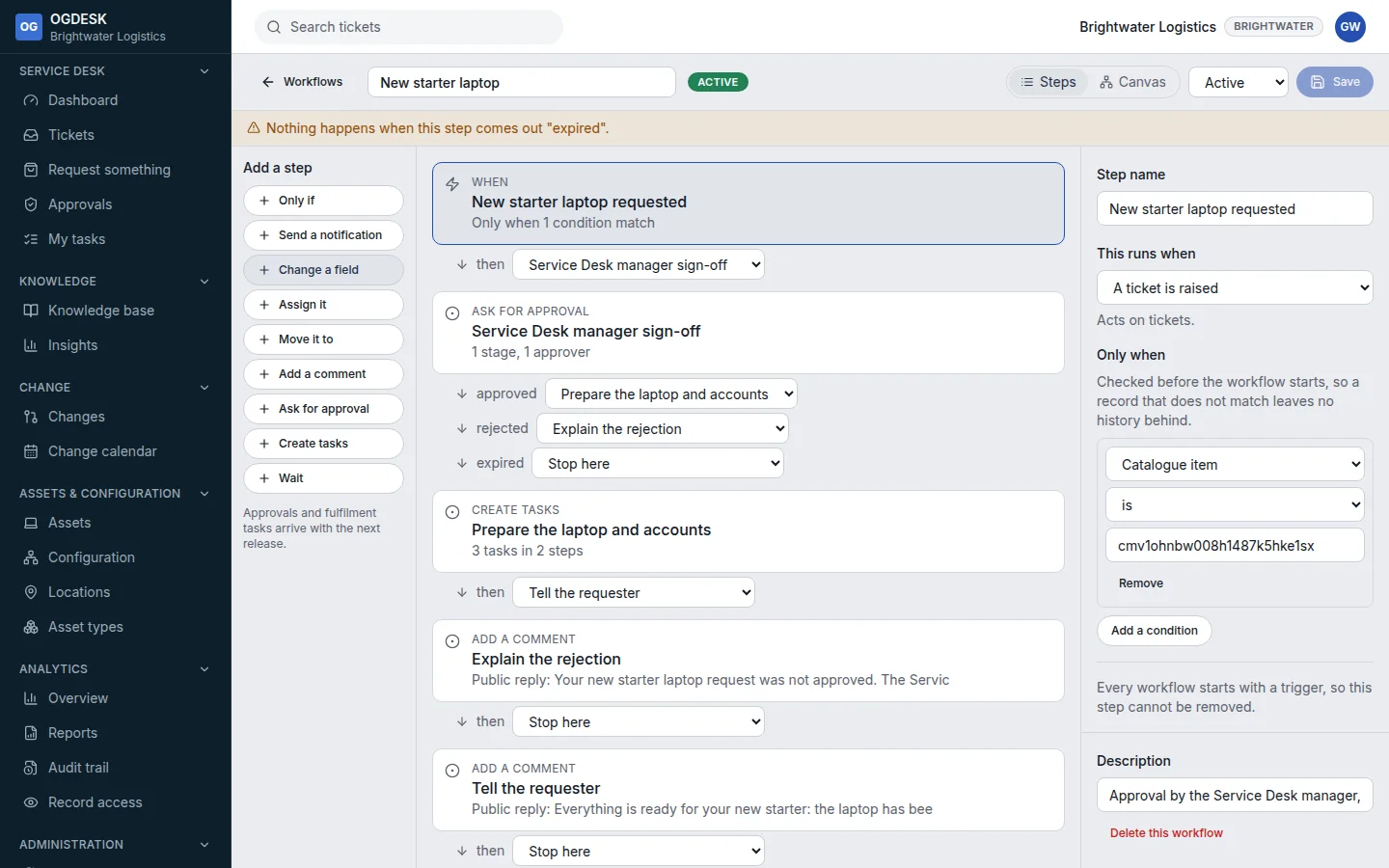
Step 4: Set Status to Active and choose Save. It runs from the next time its trigger happens.
| Step | What it does |
|---|---|
| Only if | Branches on a condition: If yes / If no. |
| Send a notification | Emails the requester, assignee, owner or a group from a template. |
| Change a field / Assign it / Move it to | Updates the record, gives it to a group, or changes its state. |
| Add a comment | Adds a note, or a reply the requester can see. |
| Ask for approval | One or more stages of named approvers, with how many must agree and when to give up. |
| Create tasks | Fulfilment tasks for a team or person. Tasks with the same step number run side by side. |
| Wait | Pauses, optionally counting working time only. |
Check it worked
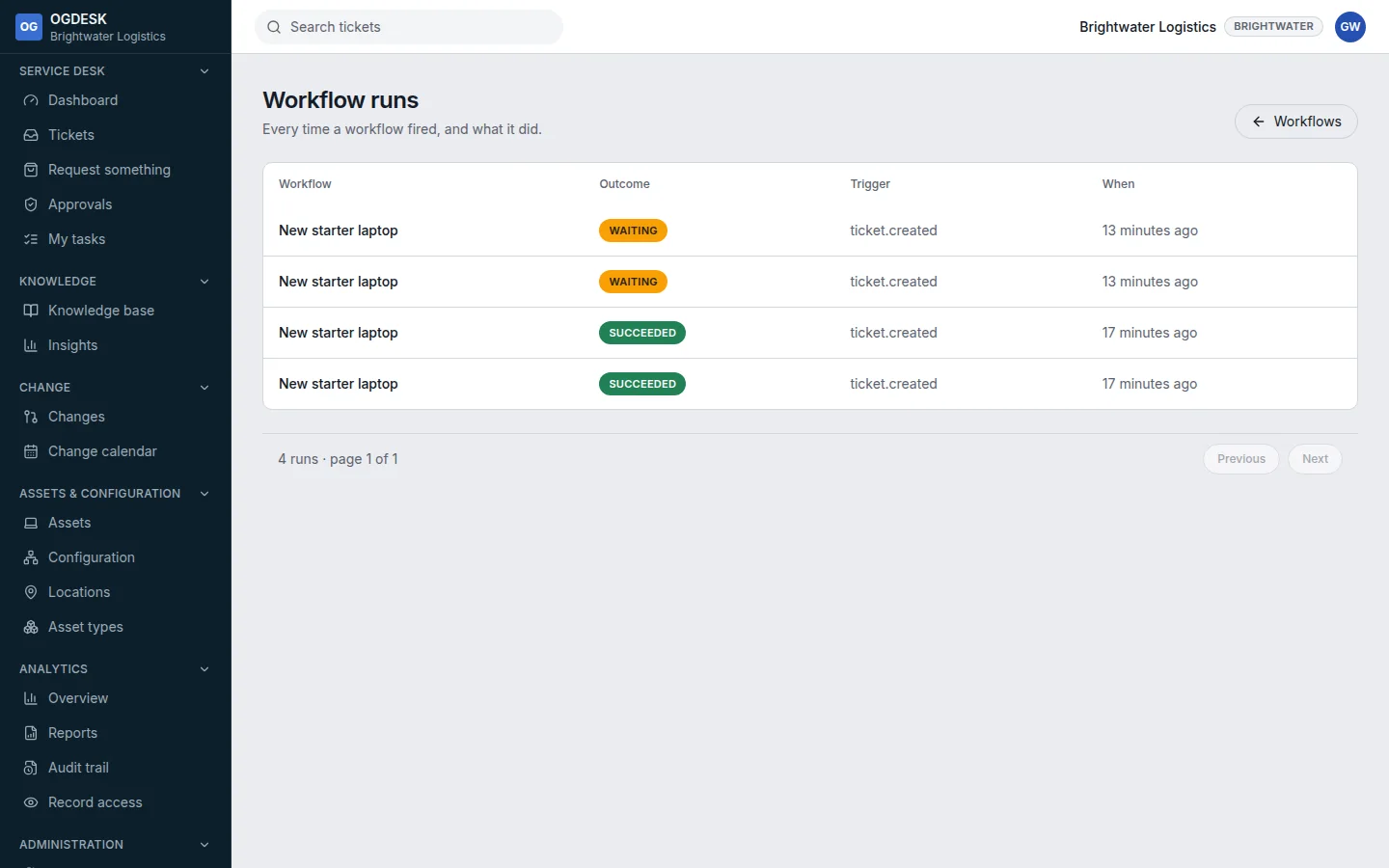
Run history lists every run, with its outcome. Open one to see each step, and The record, as the workflow saw it.
- A workflow acts with the permissions of the person who built it, and cannot be saved with a step they could not do themselves.
- After five failures in a row, a workflow switches itself off. Fix it and set it back to Active.
- Scheduled workflows (On a schedule) and knowledge triggers can only check, wait and notify.