Resolve and close a ticket
Record what fixed it, credit the articles you used, and close it off.
Who can do this:Help Desk Agent
Step 1: Open the ticket. Under Move this ticket on, choose Resolved.
Step 2: Choose a Resolution code and describe What was done. The requester sees this in their email, so write it for them.
Tick any articles under Articles used to resolve it. That shows which articles actually fix things.
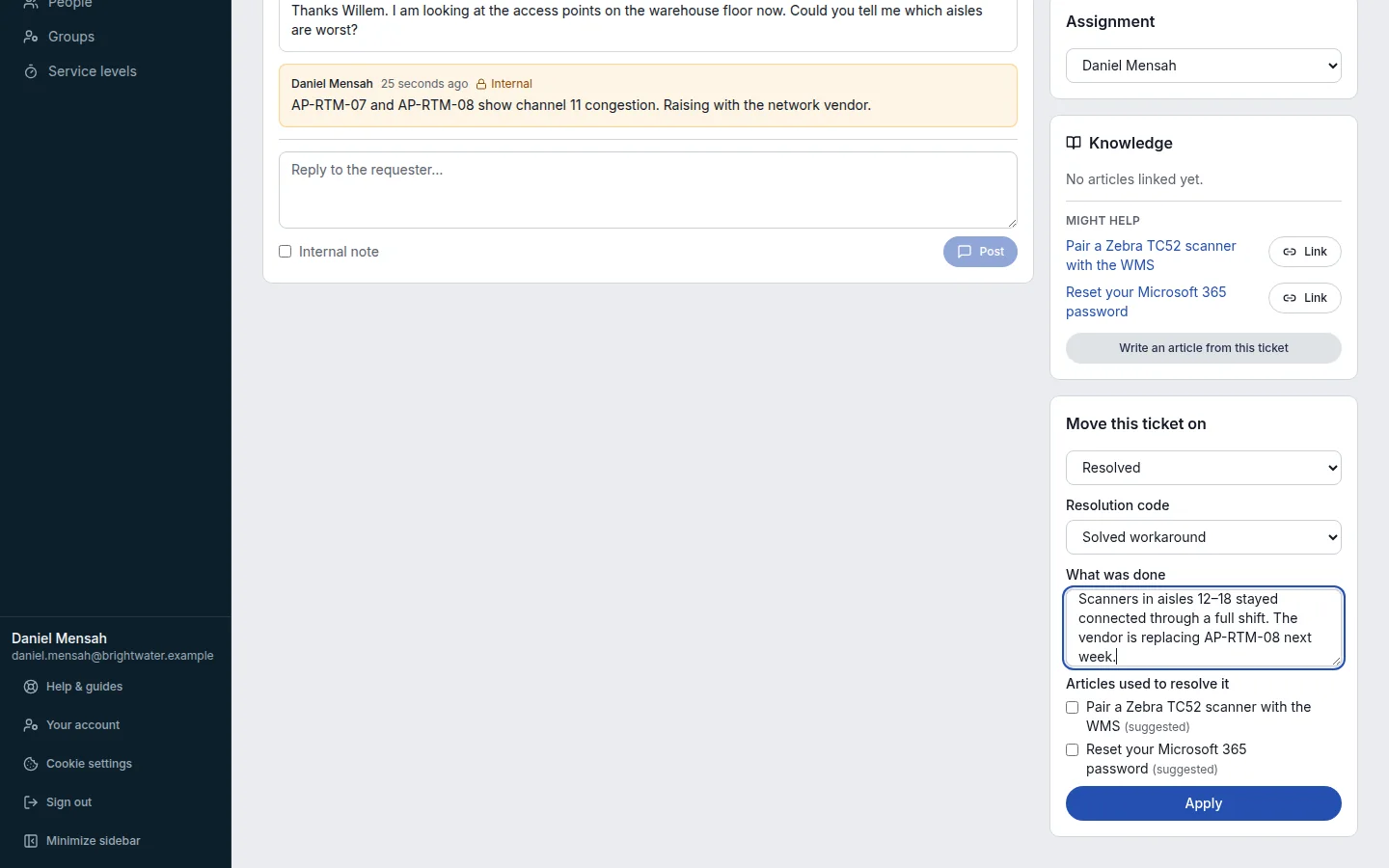
Step 3: Choose Apply. The resolution target is met and the requester is emailed.
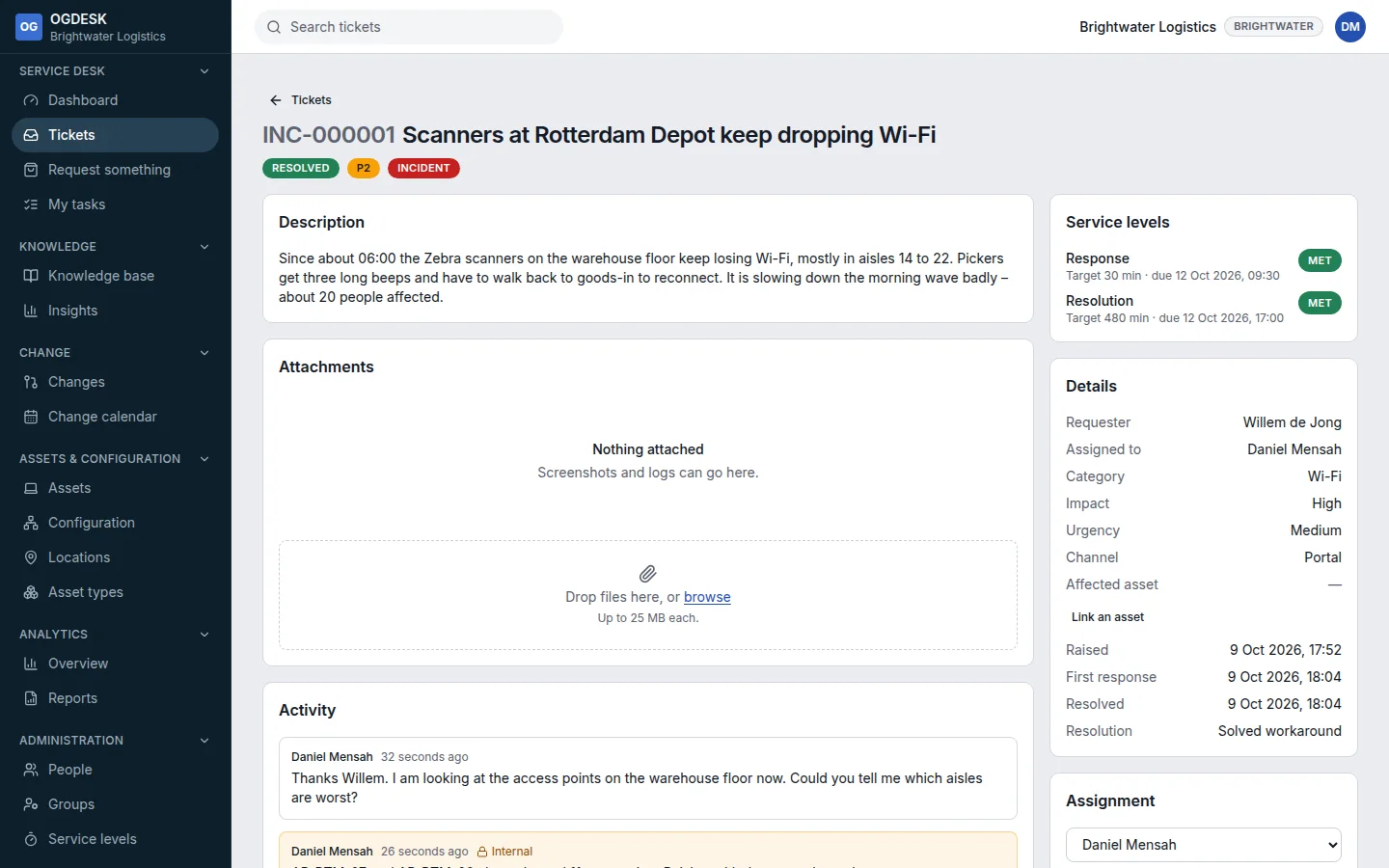
Step 4: Once the requester is happy, choose Closed and Apply.
A ticket has to be resolved before it can be closed.
| Resolution code | Meaning |
|---|---|
| Solved permanent | The cause was fixed. |
| Solved workaround | It works again, but the cause is still there. |
| Solved by user | The requester fixed it themselves. |
| Not reproducible | Nobody could make it happen again. |
| Duplicate | Another ticket covers the same thing. |
| No fault found | Everything was working as designed. |
| Withdrawn | The requester no longer needs it. |