Write and publish a knowledge article
Draft an article, send it for review, and publish it to agents or to everyone.
Who can do this:Help Desk Agent (write)Knowledge Author (write and publish)
Write it
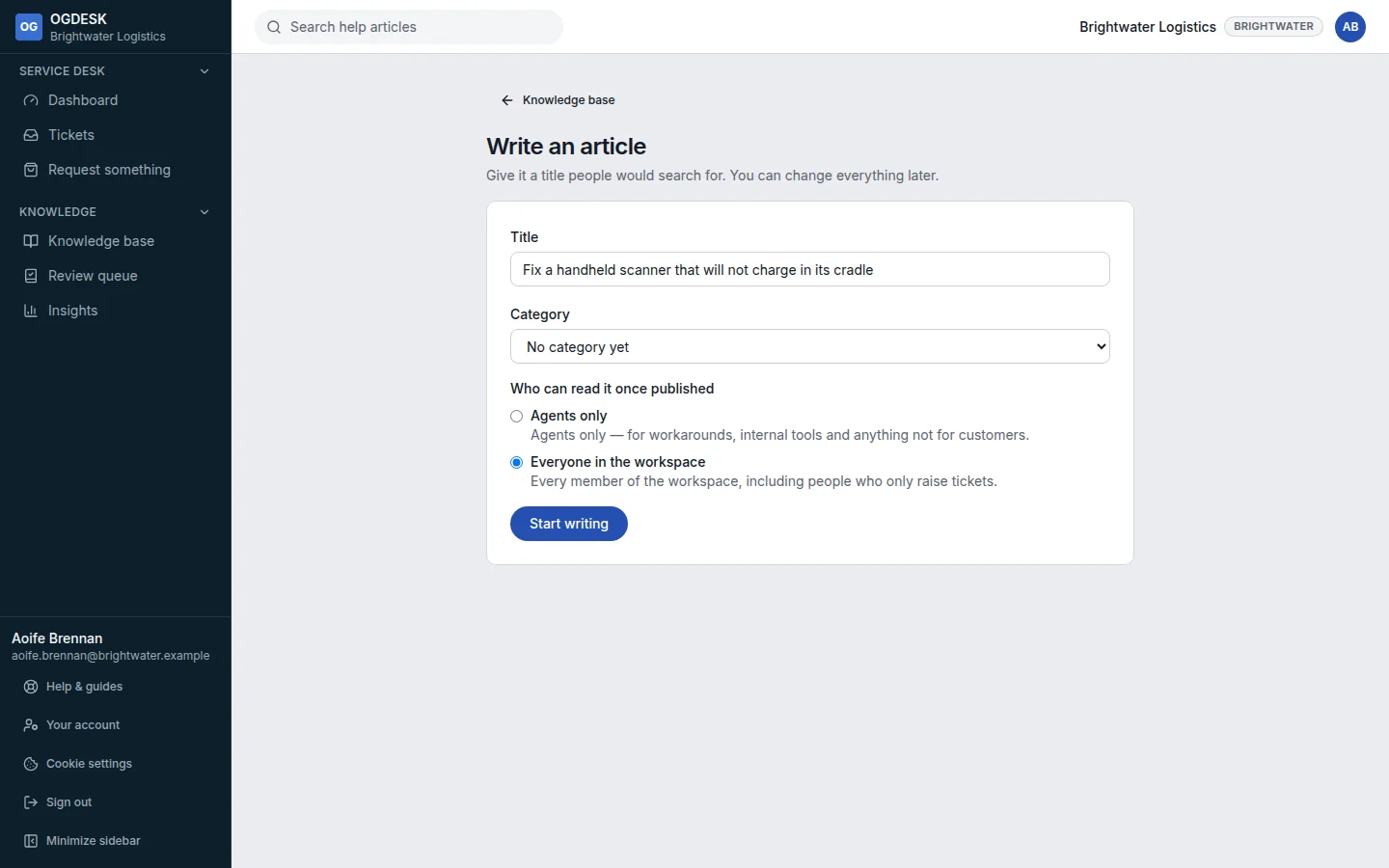
Step 1: In Knowledge base, choose Write an article.
Step 2: Give it a Title and Category, and choose Who can read it once published: Agents only for internal workarounds, or Everyone in the workspace. Then choose Start writing.
Step 3: Write the body. Add a Summary (shown in search results) and Other words people use, so searches find it.
Your work is saved as you go; the status says Saved.
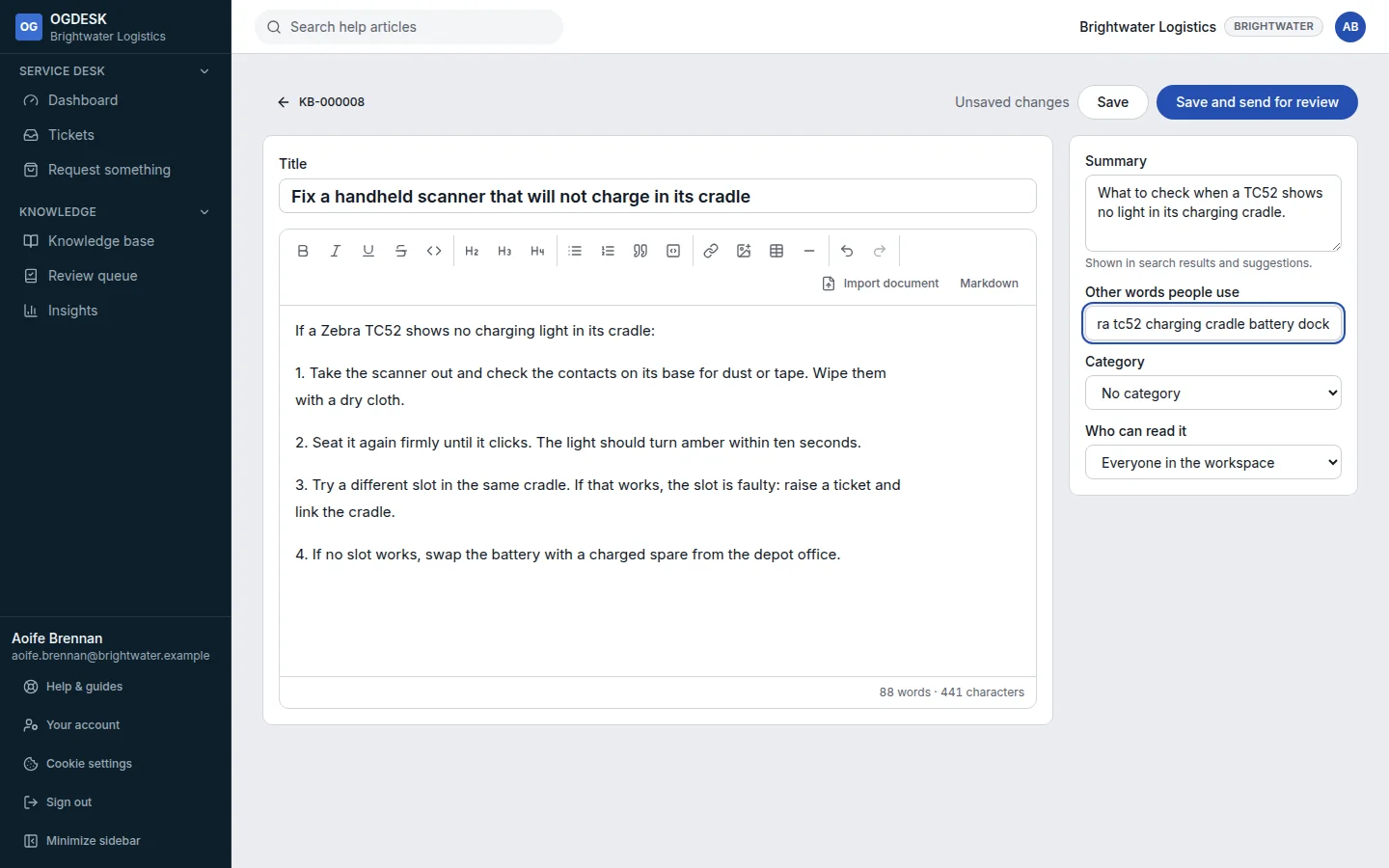
Step 4: Choose Save and send for review.
Review and publish it
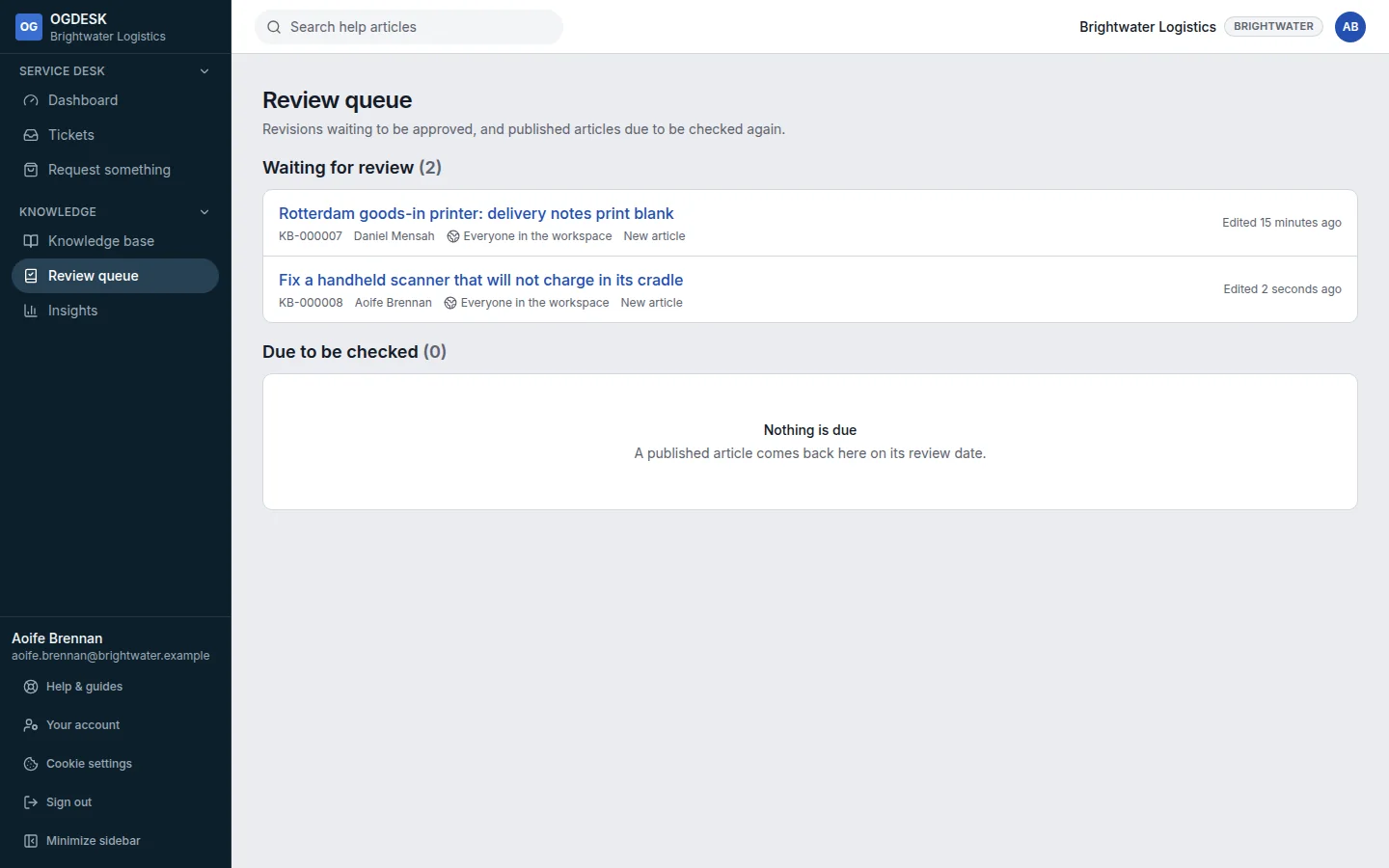
Step 1: A publisher opens Review queue and picks the article from Waiting for review.
Step 2: They choose Approve and publish, optionally add a note for the author, and choose Publish. Or they choose Send back with what needs changing.
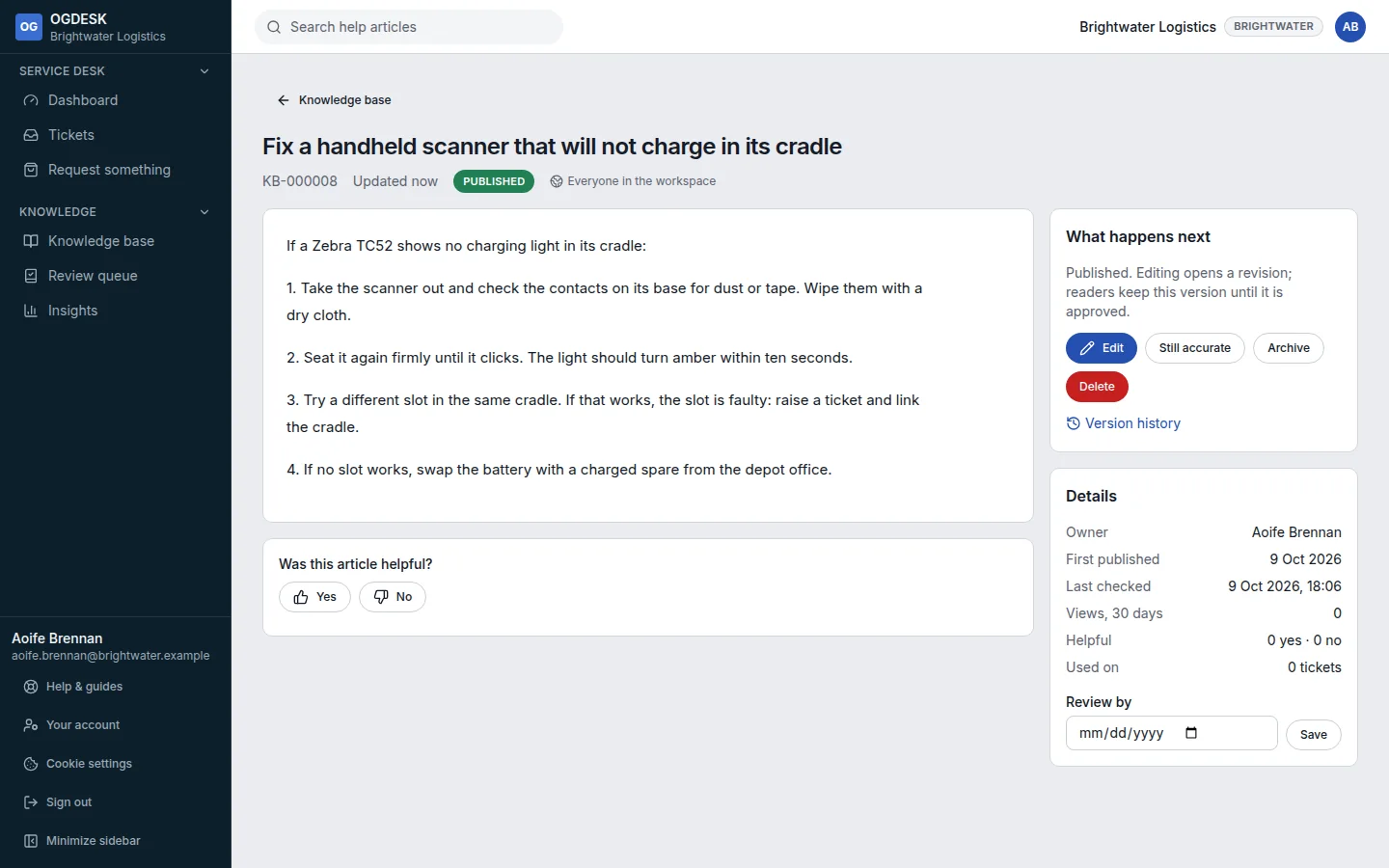
- The author is emailed when the article is published or sent back.
- Editing a published article creates a new version. Readers keep seeing the old one until the new one is approved. Version history compares any two versions.
- Each article has a review date (12 months by default). Articles past it appear under Due to be checked; choose Still accurate to confirm one.
- Insights shows views, how often articles stopped a ticket being raised, and which are least helpful.