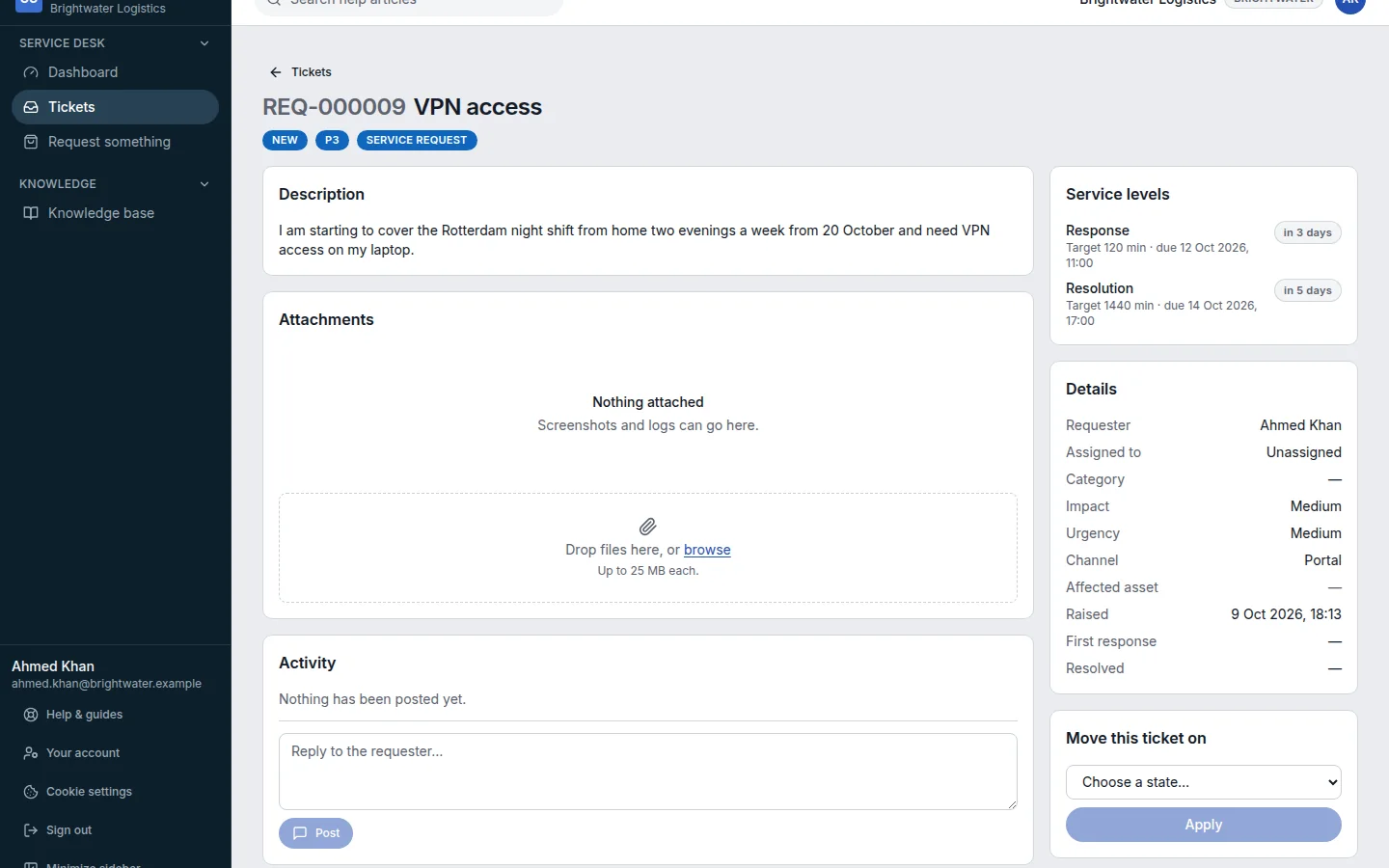
Request something from the catalogue
Ask for a laptop, access or software from the list of things your IT team offers.
Who can do this:Everyone
Step 1: In the sidebar, choose Request something.
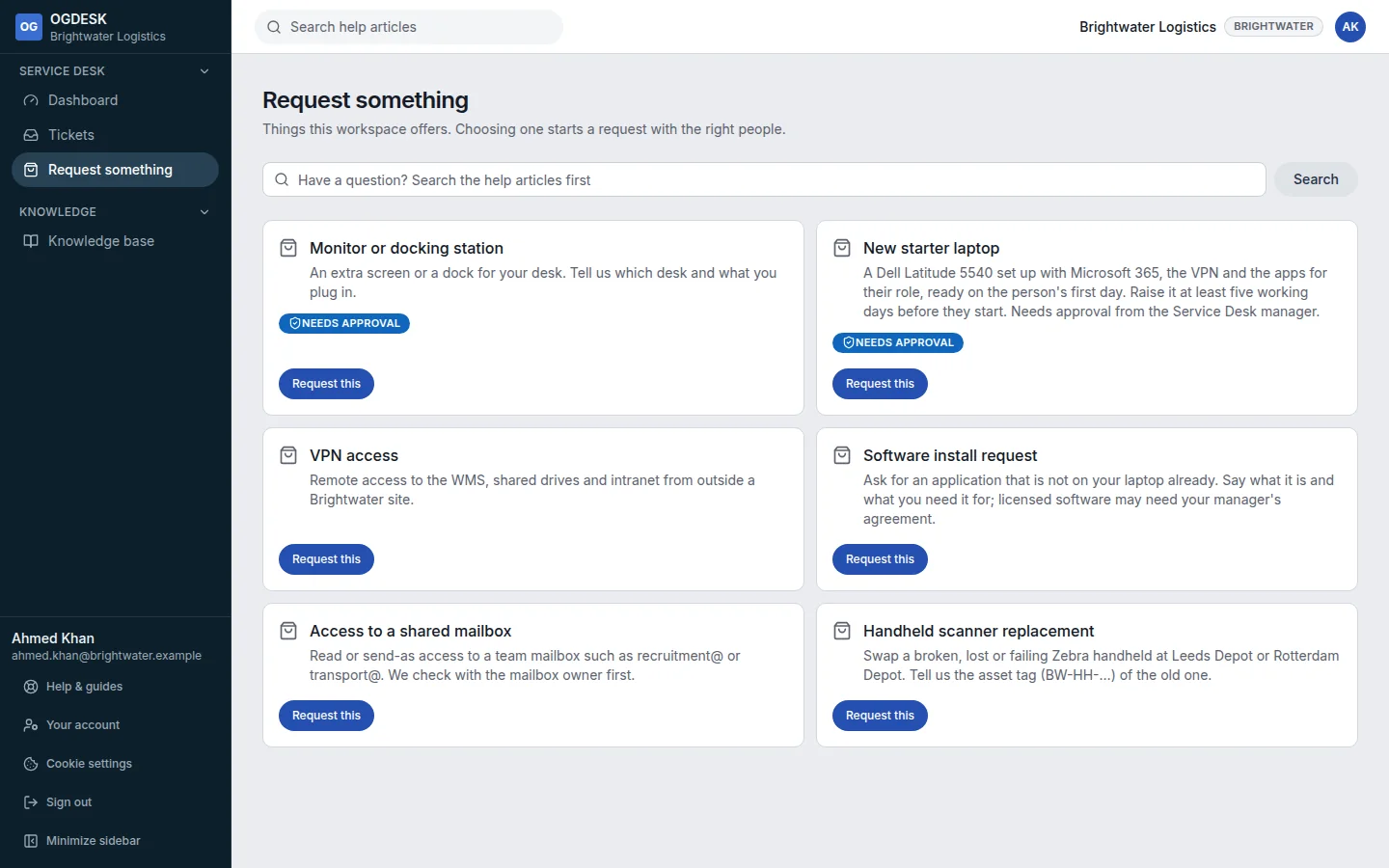
Step 2: Find what you need and choose Request this.
Items marked Needs approval go to an approver before any work starts.
Step 3: The request form opens with the item filled in. Set Type to Service request, then add the Details: who it is for, when it is needed, anything special.
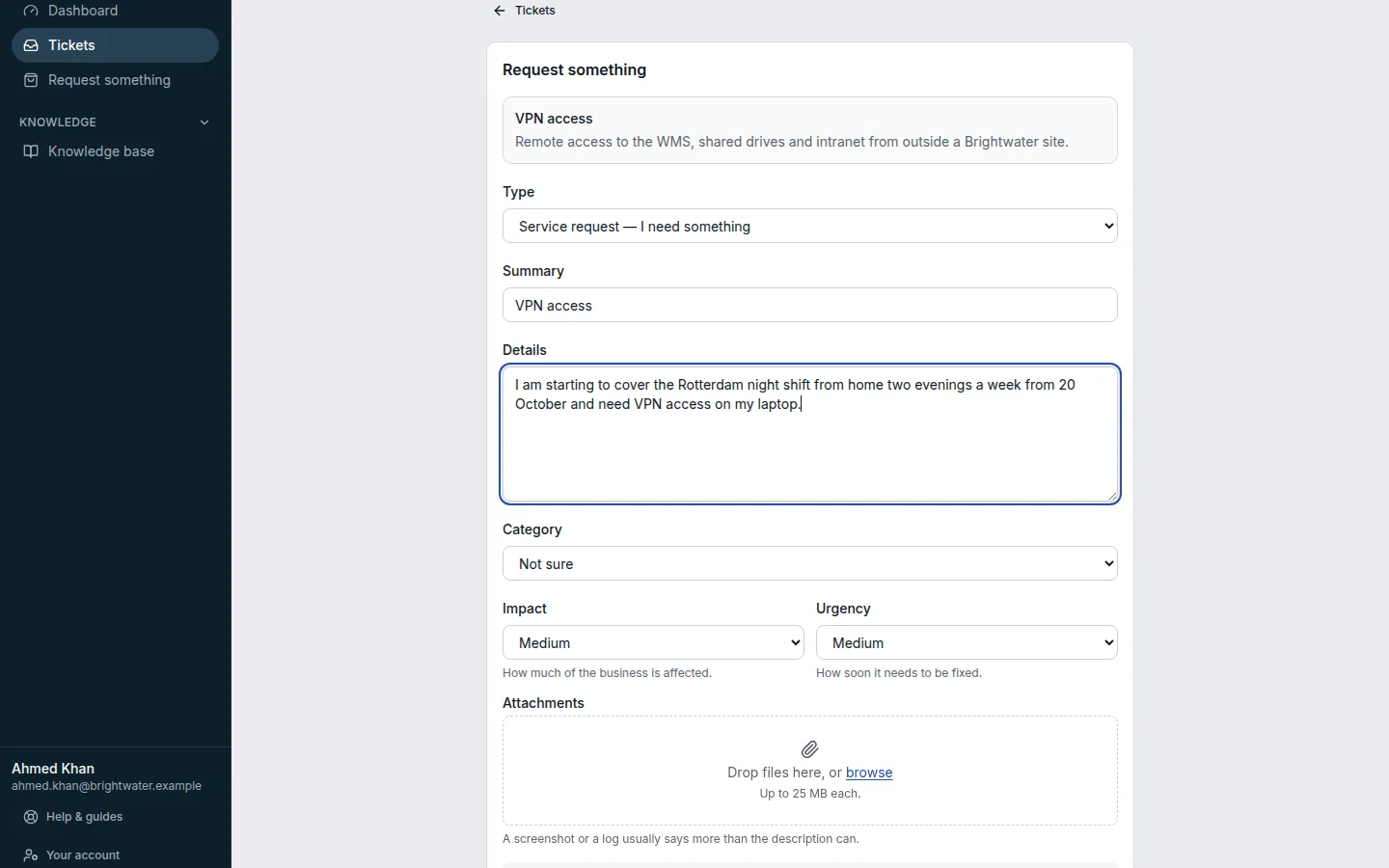
Step 4: Choose Raise ticket. You can follow it under Tickets like any other ticket.